About Ricoh Printer 2010
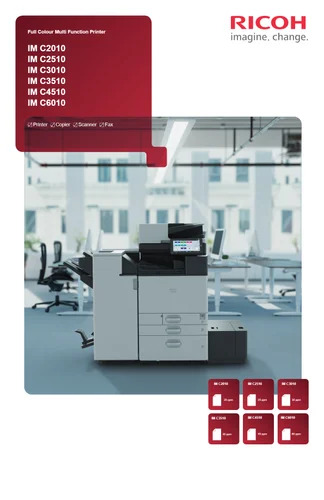
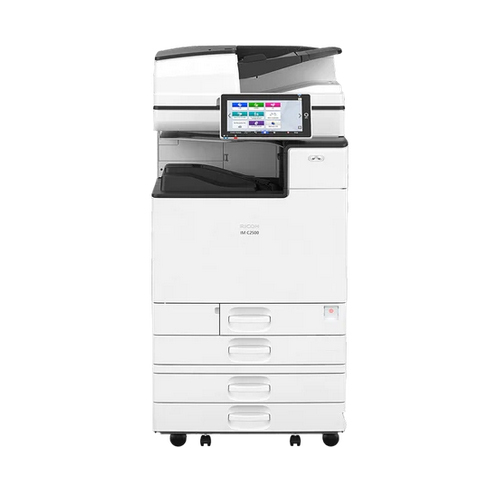
Purchase the imposing Ricoh 2010 Multifunction Printer to elevate your workspace with splendiferous efficiency. Imbued with an ineffable blend of power and functionality, it is customizable to suit a spectrum of offices, SMBs, and commercial arenas. Find peace of mind in its prodigious 30,000-page monthly duty cycle, outputting up to 20 pages per minute, with duplex printing as an optional boon. Compatible with Windows, Mac, and Linux, it grants seamless integration, while its energy-saving design and intelligent LCD display enhance productivity, making it an unrivalled asset for modern enterprise environments.
Commercial Versatility and Material Excellence
The Ricoh 2010 thrives in a multitude of settings, whether dotting commercial offices, bustling SMB environments, or dynamic commercial establishments across India. Its robust build and advanced monochrome laser technology guarantee consistent, high-quality print, scan, and copy outputs. Designed for heavy-duty usage, the machine's sturdy material grade and customizable features make it especially prized for daily operations requiring reliability and efficiency. Its A3 compatibility lends additional flexibility for various document sizes and professional needs.
Certifications, Valuation, and Packaging Information
Ricoh 2010 printers undergo thorough domestic mar quality checks, ensuring dependable operation with every purchase. Valuation procedures and proposal amounts are provided upon official request, accommodating tailored business requirements. Packaging is secure and industry-compliant, safeguarding the machine during transit. Payment terms are customizable, supporting net banking, credit, or proposal-based purchase agreements for seamless transactions-aimed at streamlining your procurement process for both individual and large-scale orders.
FAQ's of Ricoh 2010:
Q: How does Ricoh 2010 support customizable installation environments?
A: The Ricoh 2010 is suitable for both desktop and free-standing setups. Its connectivity and paper handling options allow users to tailor the configuration to match specific office or commercial space needs.
Q: What steps are involved in setting up the Ricoh 2010 printer for first-time use?
A: Setup involves unpacking, installing the toner and paper trays, connecting via USB or network LAN, installing drivers for Windows, Mac, or Linux, and configuring initial preferences on the LCD panel. A detailed manual guides each step.
Q: Where can the Ricoh 2010 be most effectively utilized?
A: The Ricoh 2010 is most effective in office settings, SMBs, and commercial organizations that demand robust multifunctional operations, including print, scan, and copy, especially with high-volume or varying paper sizes.
Q: What materials and features contribute to the Ricoh 2010's reliability?
A: Its sturdy construction, A3 paper compatibility, advanced laser print technology, and energy-saving capabilities ensure long-term, dependable operation in demanding environments.
Q: How does the Ricoh 2010 benefit workflow efficiency?
A: Its quick first print time, optional duplexing, large paper and output capacity, and automatic document feeder streamline repetitive tasks, reducing manual intervention and boosting overall productivity.

 Send Inquiry





 Send Inquiry



 Send Inquiry


